
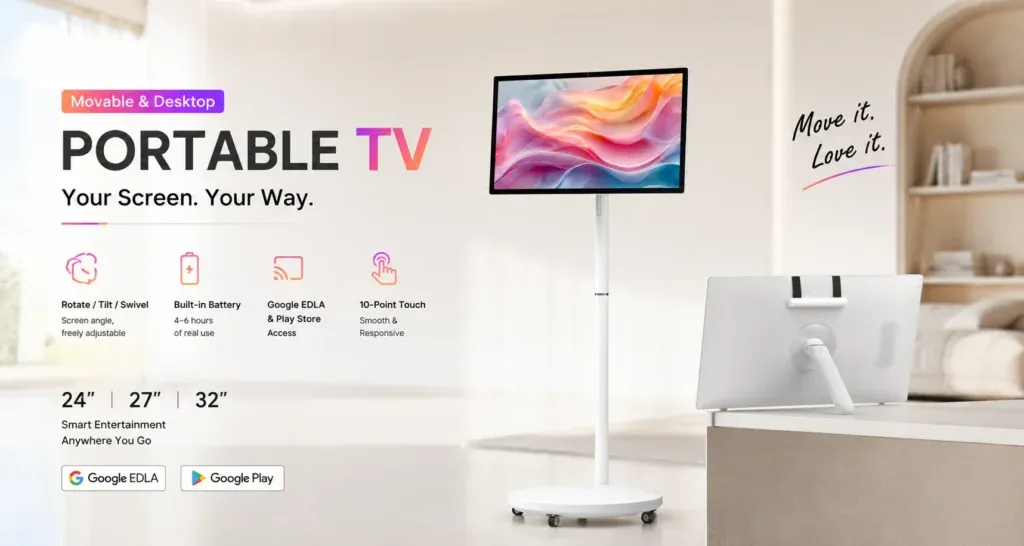
A movable display can support training in a meeting room, showroom or temporary teaching space. The useful starting point is the session itself: what participants need to see, what the presenter needs to control and how the equipment will be ready before people arrive. A short setup checklist helps different presenters use the same display consistently.
Define the task before choosing the setup
Decide whether the session is mainly a presentation, an application demonstration or a discussion around shared content. List the files, websites and applications the presenter will use. If touch interaction is needed, identify the actual controls participants must operate rather than treating touch capability alone as proof that an application will suit the lesson.
Use the Jiami Portable TV product page as a starting point for a configuration discussion. Confirm the supplied operating system, application compatibility, connection methods and accessories for the quoted unit. Requirements should be checked against that configuration before the session is committed to it.
Review the room from the participants’ positions
Place the display where the intended audience can see it without needing to turn around or gather in a circulation route. Check the content from the furthest planned seat. A slide that looks clear to the presenter may have text or diagrams that are difficult to read across the room.
Look for reflections and obstructions under the lighting normally used during training. Keep the layout simple and enlarge the information that participants need to follow. For a larger group, assess whether a different room arrangement or display format is more appropriate before the session begins.
Test the complete presentation path
Open the final files and run through the intended order on the actual equipment. Check videos, fonts, document pages and any interaction the session depends on. Where an external device or wireless connection is part of the approved setup, test the exact connection method and obtain any required access in advance.
Do not assume that an application available on one device will behave identically on another. Record the tested software version and keep a permitted backup copy of essential material. If the session depends on a website or account, confirm access with the owner and prepare an approved alternative for a connection problem.
Check power and audio arrangements
Confirm the power requirements and operating instructions for the supplied unit. If battery operation is part of the configuration, check its charge before the session and trial the planned workload instead of relying on an untested runtime assumption. Include setup time and breaks when planning the session.
If audio matters, listen from the audience’s positions at the intended volume. Confirm any external audio arrangement before attendees arrive. Keep cables and charging equipment in approved positions and follow the site’s rules for moving, positioning and adjusting the display.
Give the presenter a short readiness checklist
- The correct session files are available and open in a clear starting view.
- Required applications and approved connections have been tested.
- Text, diagrams and audio are usable from the participants’ positions.
- The power arrangement is ready for the planned session.
- Personal notifications and unrelated information will not interrupt the presentation.
- A named person can help if the setup behaves unexpectedly.
For a team comparing equipment, the Portable TV business and education comparison guide can help structure the questions to ask. Keep the readiness checklist specific to the applications and room used by your team.
Reset the display between sessions
Close attendee-specific material, sign out of temporary accounts and return to the agreed starting view. Record any problem with the session name, equipment identity, software version and the steps that produced it. Remove information that should not remain on a shared device, following the organisation’s handling rules.
Discuss a Portable TV training setup with Jiami. Share the room layout, group size, sample content and application requirements so the supplied configuration can be reviewed against the intended use.