
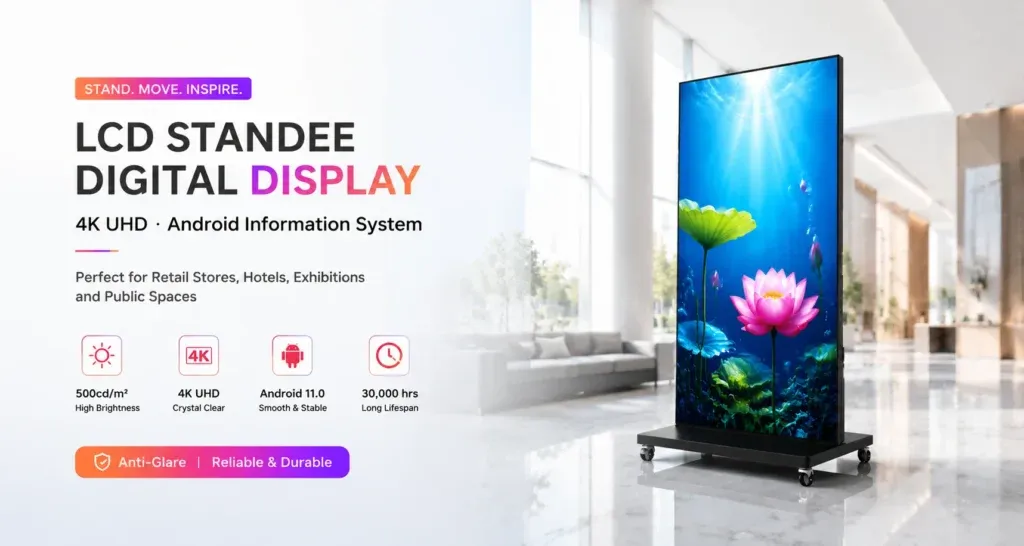
A reception area, shop or event venue may need to communicate with visitors who read different languages. An LCD poster can present prepared language versions of a message, but the content team still needs to decide what to translate, how to arrange it and who will keep every version current. Start with the visitor’s task and test the finished content on the actual display setup.
Choose the messages visitors need to act on
List the questions people ask at the location: where to check in, which room to use, when a service opens or how to find assistance. Give priority to information visitors need before they reach a staffed desk. Use feedback from the site team to choose languages rather than assuming the same selection suits every branch.
Keep each message focused. A direction, opening time and promotional offer may need different layouts and approval owners. Separate them in the content brief so a change to one item does not quietly leave an outdated detail in another language.
Prepare a clear source and review each translation
Agree on the source wording before translation begins. Record names, room numbers, dates, times and any terms that must remain consistent across versions. A short glossary helps reviewers distinguish a product name from text that should be translated.
Have someone familiar with the target language and the location review the wording in context. Check whether the instruction is clear to a first-time visitor. Translation software can help prepare a draft, but local names, directions and commercial conditions still need a responsible reviewer.
Select a layout for the viewing situation
Decide whether visitors should see languages together or as separate prepared items in a sequence. A shared layout helps people compare versions at a glance, while separate items give each version more room. Assess the choice at the actual location: a person walking past may have a different opportunity to read than someone waiting at reception.
Keep labels and visual hierarchy consistent. Make the action or destination easy to identify, and allow space for wording that becomes longer in another language. For placement and readability planning, use the LCD poster viewing distance and ambient light guide.
Test the finished files on the supplied system
Open the final image, video or other approved content format through the actual playback workflow. Check characters, line breaks, punctuation, numerals and text direction. Where a language reads from right to left, review the whole composition, including arrows and labels, with a suitable language reviewer.
Inspect the screen from the visitor’s expected position under normal lighting. If language versions rotate, observe the complete sequence and check whether the intended audience has enough opportunity to find and read the relevant item. Adjust using that observation rather than applying an untested reading-time assumption.
For freestanding visitor information, review the Jiami floor-standing LCD poster range. Confirm the playback method, accepted file formats and language rendering for the quoted configuration. Prepared translated artwork and automatic on-device translation are different requirements; specify which workflow the project needs.
Use one approval record for every version
- Identify the source message and the languages included.
- Record the reviewer for each language version.
- Check location names, directions, dates and times against the same brief.
- Confirm the final layout and playback sequence on the intended screen.
- Assign an owner to replace every affected version when information changes.
Include a campaign or revision identifier in the working files and maintain a clear record of what is approved for each location. The LCD poster content preflight checklist can support the final review before distribution.
Keep the local team involved after launch
Ask staff to record recurring visitor questions and unclear wording. Review those observations when updating the content. When a room, opening time or campaign changes, update the affected language versions together and confirm what is actually visible on each screen.
Discuss a visitor-information display project with Jiami. Share the location, viewing conditions, sample language layouts and proposed update process so the display configuration can be reviewed against the intended use.