
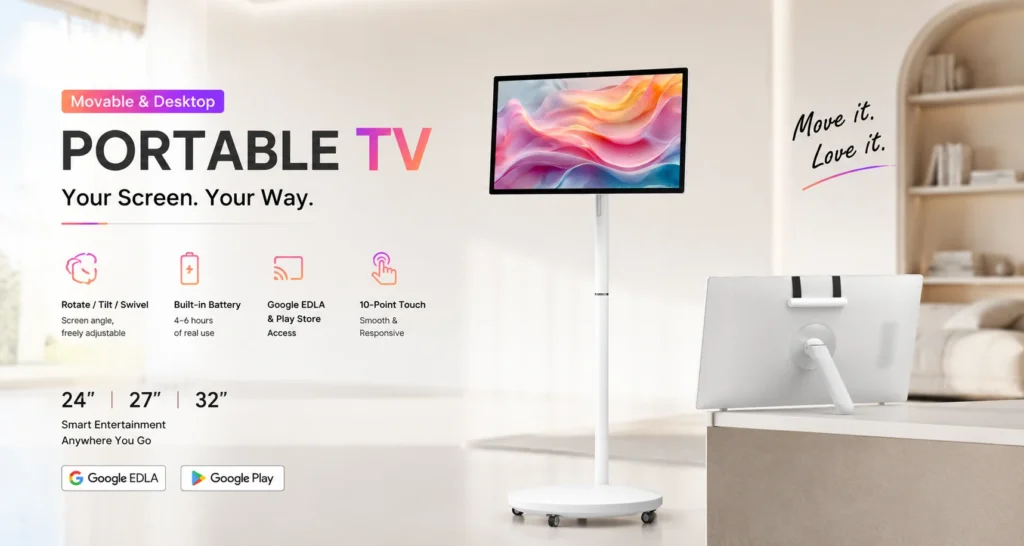
A showroom demonstration often happens beside the product rather than at a fixed presentation desk. A Portable TV can bring a specification sheet, short video or interactive application to that conversation. Plan a repeatable demonstration so sales staff can open the right material and return the device to a ready state after each visitor.
Build the demonstration around one customer task
Choose the task the screen will support. A furniture showroom might use it to compare finish options. An equipment supplier might show a short operating sequence beside the machine. A sales team might open a product drawing and explain configuration choices during a consultation.
Prepare a short route through the content: introduce the product, demonstrate the relevant option and show the next step. Put frequently used files or applications in an obvious starting location. Avoid making staff search through unrelated material while the visitor waits.
Match the screen size to the conversation
The Jiami Portable TV series offers 24, 27 and 32-inch sizes with 10-point P-CAP touch and listed brightness of 300 cd/m². Movable stand and desktop configurations support different consultation layouts. Confirm the supplied stand, adjustment range and desktop arrangement for your order.
The 24-inch Portable TV uses a Full HD panel and is worth comparing for a compact consultation desk. The 32-inch model provides a larger display area for a shared demonstration. The 27 and 32-inch models list an optional 4K configuration; specify the resolution in the quotation instead of assuming every unit includes it.
Test the exact application before rollout
The product series lists Android 13, 14 and 15 options, with configuration-dependent processor and memory choices. Ask Jiami to confirm the exact combination for the quoted unit. Provide the application name, version and a representative file so the demonstration can be checked on the intended configuration.
Test touch targets, portrait and landscape layouts where required, video playback and any login process. If a demonstration depends on a subscription or third-party service, confirm its availability and licensing for the intended use. Keep an approved local video or PDF as a fallback for a weak showroom connection.
Plan charging around the working day
Jiami lists approximately four to six hours of battery use for the Portable TV series. Treat that as a planning reference. Actual runtime depends on the supplied configuration, screen brightness, applications and use pattern. Trial a representative demonstration session before planning a full day of customer appointments.
Give the device a designated charging and storage position. Assign responsibility for charging before opening and for checking the remaining battery between longer sessions. Confirm the supplied charging equipment and the handling instructions before staff move or adjust the screen.
Build a repeatable showroom acceptance test
Create a short test record for the exact model and software configuration being quoted. The following is a test procedure for your team, not a claim that a battery or application test has already been completed.
- Record the configuration: model, screen size, Android version, application version and connected accessories. Confirm these against the quotation.
- Use the real demonstration: open the actual application and content files, test the required touch actions and record whether the necessary network connection works at the demonstration location.
- Define the operating period: six ten-minute demonstrations equal 60 minutes of active demonstration time. Add the planned standby time, movement between sessions and any other use before deciding the required battery capacity.
- Measure under stated conditions: record starting charge, brightness setting, audio level, Wi-Fi state, start and finish times, and remaining charge. Keep active use and standby in separate log entries.
- Agree on acceptance: compare the measured result with the agreed operating period, then plan charging opportunities and a power connection where needed.
Leave measured runtime blank until the test is completed. Battery duration varies with configuration and workload; a general catalogue estimate does not validate your showroom schedule. Use the Portable TV feature checklist to record the other configuration decisions.
Reset the screen after each visitor
- Close visitor-specific files and return to the demonstration start page.
- Sign out of temporary accounts and remove information entered during the session.
- Check the next demonstration file, network connection and battery level.
- Report application problems with the model and configuration recorded.
For a branded showroom, Jiami lists OEM/ODM options including colour, logo, boot screen and launcher customisation. Confirm scope and compatibility as part of the project proposal.
Plan a Portable TV demonstration setup with Jiami. Share your preferred size, application requirements, stand or desktop preference and order quantity for a configuration review.