
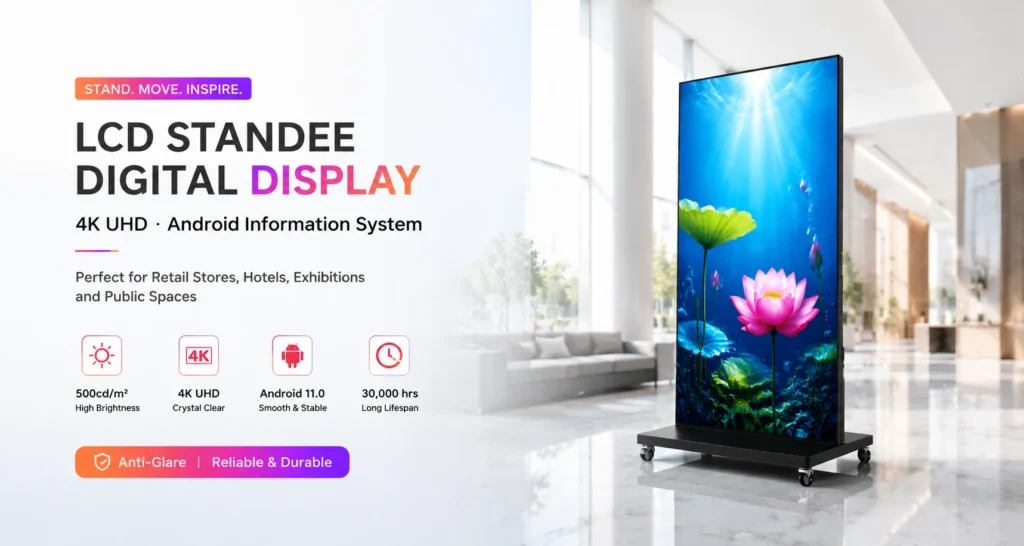
A hotel event changes throughout the day. Guests arrive, registration opens, meeting rooms change and an evening function may replace the daytime programme. A floor-standing LCD poster provides a visible place for those updates. Plan its location and operating routine around the guest journey before deciding how many screens to order.
Map the points where guests need information
Start at the entrance and walk to registration, the lift lobby and the event rooms. Identify the places where a guest must choose a direction. A welcome display at registration can confirm the event name and start time. A display near a junction can show the next destination, provided it remains visible from the approach.
Use a simple information hierarchy: event name, destination and time. Add an arrow only after confirming the direction from the installed screen position. Treat digital event information as a supplement to the venue’s required safety signage.
Choose the model for the location
The Jiami floor-standing LCD poster series includes 75, 85 and 98-inch models with 4K panels and Android 11. The 75-inch JM-75LD03 is listed at 500 nit. The 85-inch JM-85LD03 and 98-inch JM-LD98 are listed at 350 nit. Review each model against lobby lighting rather than selecting by diagonal alone.
For a registration zone, compare the 75-inch JM-75LD03 with the available viewing area. A larger foyer may justify reviewing the 85-inch JM-85LD03, but the final choice should also account for the base, service access and the route used to move the assembled unit.
Confirm the complete footprint and movement route
Request the installation drawing for the exact configuration, including its base and any specified casters. Check door openings, lift access and storage space. These are large commercial displays: the listed net weights are approximately 75 kg, 95 kg and 145 kg across the three sizes. Arrange handling around the supplier’s instructions and the venue’s procedures.
Keep the display and its power cable clear of guest circulation routes. Confirm a suitable power point at each approved location. Casters support repositioning where specified; the display still requires mains power during operation.
Prepare a playlist for each event phase
Create separate welcome, session and closing layouts. During registration, show the event identity and check-in location. Between sessions, show the next room and start time. At the close, switch to collection points, transport information or the next activity approved by the organiser.
Keep a dated master schedule and confirm who can approve room changes. The series supports USB, mobile app or PC publishing as listed on the product page. Confirm the software and network arrangement for the supplied units before relying on remote updates during an event.
Example event-day display run sheet
Use this planning example to assign responsibility before an event. The times are illustrative and do not describe a Jiami customer installation.
- Before guests arrive: the AV contact checks the mains supply, cable route and final display position; the event coordinator approves the room name, date and welcome artwork.
- Before each room change: the coordinator confirms the new room assignment; the content operator publishes the replacement file and checks the actual screen rather than relying only on an upload message.
- During the event: a named staff member handles urgent corrections. Keep an approved offline fallback file if it is supported by the quoted playback configuration.
- After the event: remove expired welcome messages and guest information, restore the next approved playlist and record any playback or movement issues.
A wheeled display still needs a suitable power connection. Confirm cable routing, movement procedures and the complete base footprint before approving a location; panel dimensions alone do not establish the occupied floor area. Use the content-management guide to agree on publishing access and approval responsibilities.
Use a daily handover check
- Confirm that the event name, date, room and arrows are correct.
- Check the screen from the guest’s approach and remove visual obstructions.
- Inspect the approved placement, power connection and cable route.
- Load the next programme or an approved holding screen when the event ends.
Request a floor-standing LCD poster proposal with your venue layout, event schedule, preferred sizes and quantity. Jiami can review the display configuration against the intended locations.