
Delivery acceptance is the point where a display order becomes a working installation project. Before moving every unit into a store or venue, check that the supplied equipment matches the agreed configuration and can perform the intended task. A written acceptance record helps purchasing, operations and the supplier resolve questions using the same evidence.
Agree on the checks before delivery
Use the approved quotation, order confirmation and any agreed drawings as the reference. Record which checks apply to every unit and which require a representative trial. For a small order, testing each display may be practical. For a larger rollout, agree on a sampling and exception process with the supplier before the shipment arrives.
A useful test plan identifies the expected result, the person checking it and the evidence to retain. Avoid adding an unagreed performance threshold after delivery. If a requirement matters to acceptance, put it in the purchasing documents first.
Match the delivered equipment to the order
Compare model labels, quantities and supplied accessories with the packing list and order. Record serial numbers so a later issue can be connected to a specific unit. Inspect packaging and accessible surfaces for visible damage, and photograph any discrepancy before discarding packaging.
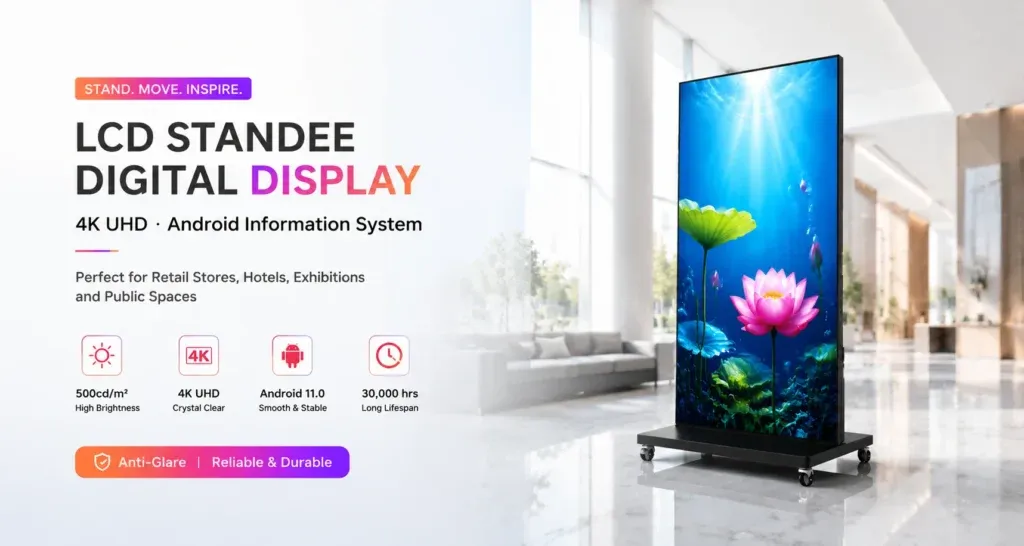
Confirm that stands, brackets, power equipment and other accessories match the agreed supply scope. A wall-mounted LCD poster and a floor-standing LCD poster have different installation arrangements. Check the supplied instructions before assembly, and have mounting or electrical work completed by appropriately qualified personnel.
Check the configuration on the actual unit
Where the order specifies an operating system, storage capacity, connectivity or an included playback application, compare the supplied configuration with the documented agreement. Use the device information screens and supplied documentation. If a specification is unclear, record the question and ask the supplier to confirm it.
Do not treat a product-family description as proof of every unit’s configuration. Options can differ between quotations. Keep a record of the supplied software version and any configuration changes made during acceptance, without recording passwords or account credentials in the test report.
Run a representative playback trial
Prepare an approved sample of the content that the display will actually show. Include relevant images, video and text in the intended orientation. Check the crop, readable text, transitions and any audio requirement on the supplied playback setup. If touch interaction forms part of the order, test the intended application and the controls staff will use.
For a network-based workflow, try the approved update process on the intended site network. Where scheduling or restart recovery is part of the agreed specification, test it using the supplier’s instructions. Record the settings and observed result. The content preflight checklist provides a separate review for campaign artwork before launch.
Keep exceptions specific and traceable
Describe an issue with the unit identifier, software version, test file, steps followed and observed behavior. Attach a clear photo or short recording where useful. State the expected result by referring to the order or agreed acceptance plan, then ask the supplier for the next diagnostic step.
- Mark each check as passed, failed or not tested.
- Separate missing accessories from playback or configuration issues.
- Keep affected units identifiable while a question is being resolved.
- Record the agreed corrective action and repeat the relevant check afterward.
- Keep approval responsibility clear before releasing units for rollout.
Hand over a repeatable setup
Once the checks are complete, retain the approved content sample, operating instructions and configuration record. Tell the receiving team who owns updates, where accessories are stored and how to report a problem. Use the installation planning checklist to review the final site before the equipment is put into service.
Planning an order with several delivery locations? Contact Jiami with your LCD poster requirements, proposed configuration and acceptance checklist so the supply scope and test expectations can be discussed before dispatch.